
Can Foreigners Use
Alipay in China?
Yes. This tourist setup guide shows how to register, link an international card, pay by QR code, and prepare backup payment options.
Quick answer
Quick answer
Foreign visitors can usually use Alipay by registering with a phone number, linking an international bank card, and completing identity verification if requested. Once set up, you can scan merchant QR codes or show your payment code in shops, restaurants, taxis, and many tourist locations. Keep cash, WeChat Pay, or a physical card as backup.
Must know before you go
Foreign tourists can usually use Alipay with an international bank card.
A Chinese bank account is usually not required.
You may still need SMS verification and passport-based identity verification.
Alipay works widely in shops, restaurants, taxis, convenience stores, and many tourist locations.
Step 1Download and Register
Download and Register
Download Alipay before your trip if possible, then register with a phone number that can receive SMS codes.
Search for Alipay in your app store.
Install the app.
Sign up with your international phone number.
Enter the SMS verification code.
Set the app language or country/region if Alipay asks.
- Your non-Chinese phone number usually works.
- You must be able to receive SMS verification codes.
- Using roaming or a travel eSIM is usually fine as long as SMS works for your number.
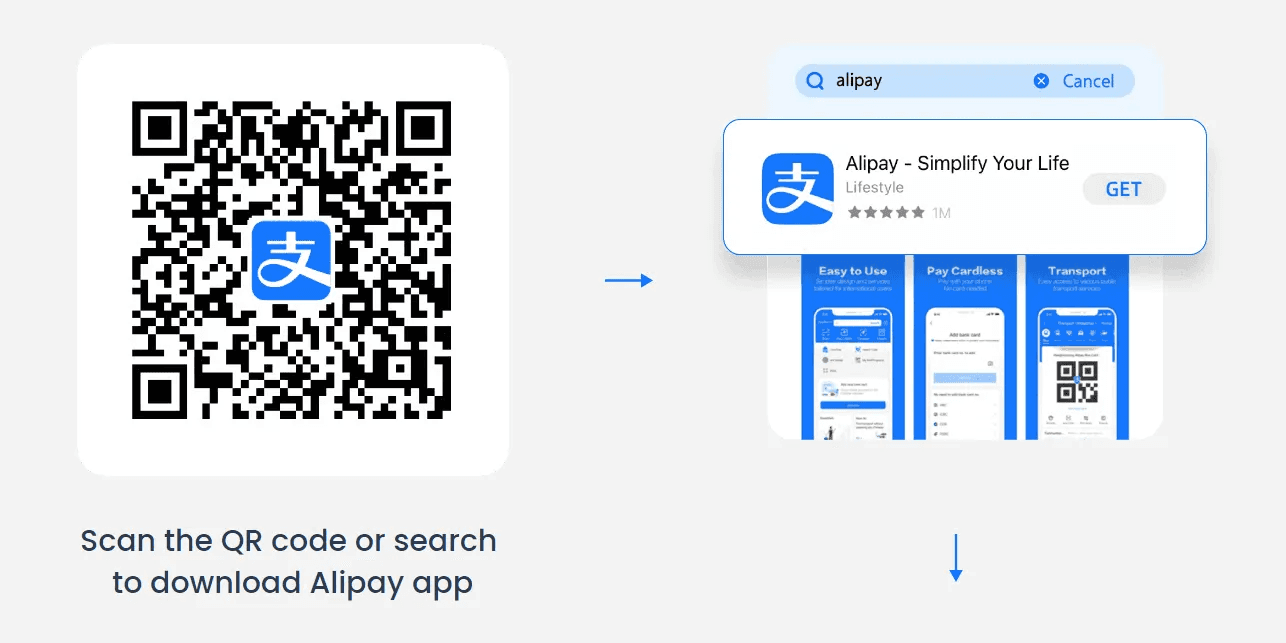
Search for Alipay in the App Store or Google Play.
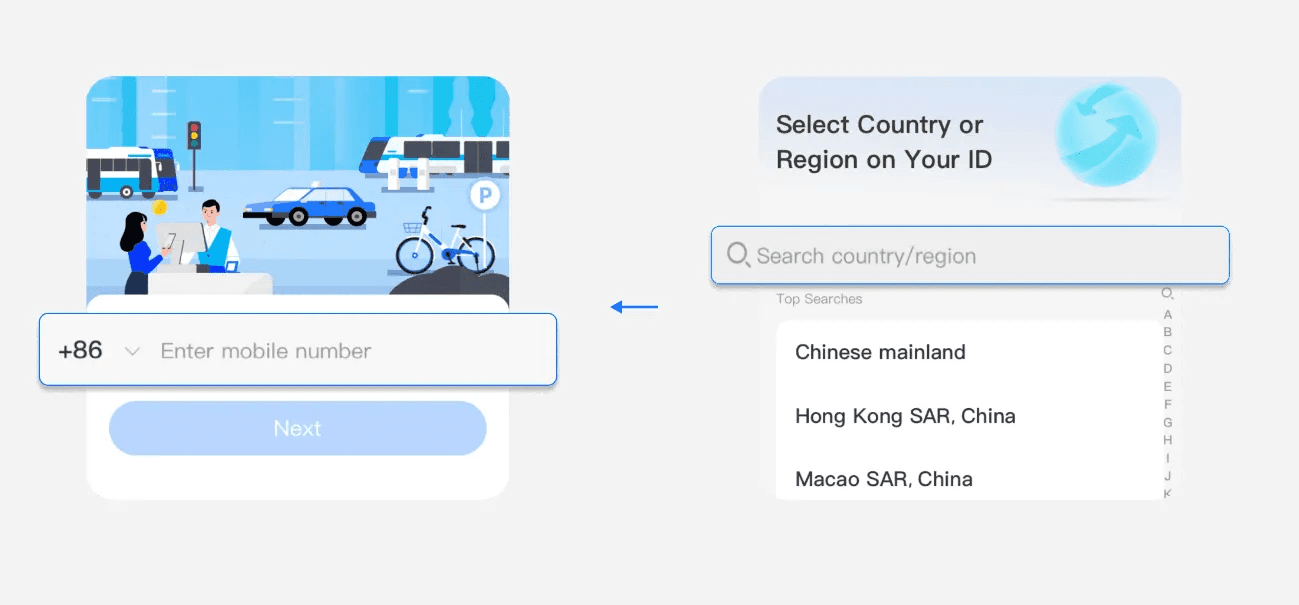
Register with your phone number and complete SMS verification.
Step 2Add Your International Card
Add Your International Card
After registration, link an international credit or debit card so Alipay can charge your payments.
Tap Account in the bottom-right corner.
Tap Bank Cards.
Tap Add Bank Card.
Enter your card number and details.
Complete any extra verification from your card issuer.
Make sure your name matches your passport and card as closely as possible.
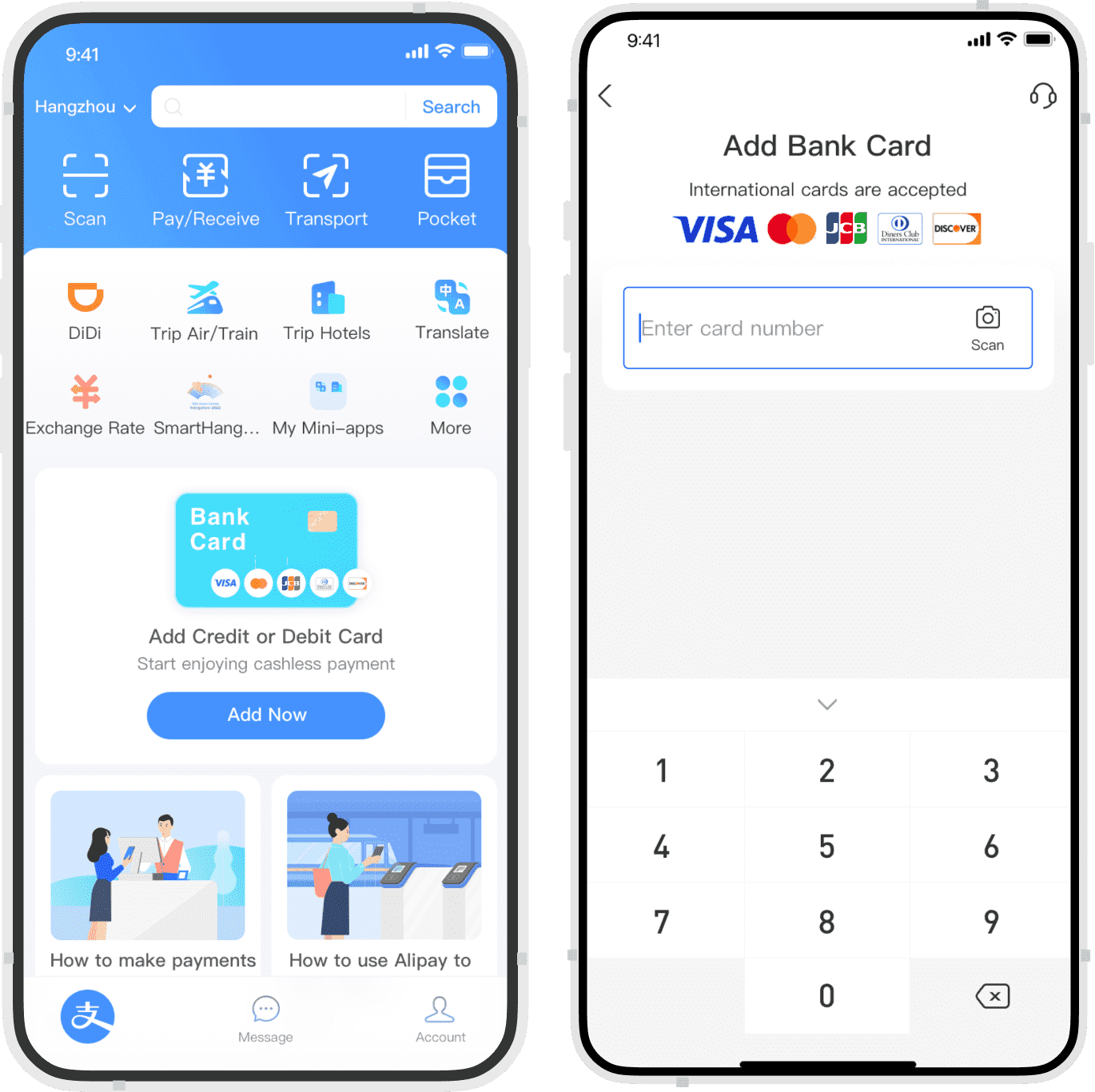
Open Bank Cards and tap Add Bank Card.
Step 3Verify Your Identity if Requested
Verify Your Identity if Requested
Alipay may ask for passport-based identity verification before some payment features work smoothly.
Follow the in-app prompt if Alipay asks you to verify.
Upload a photo of your passport information page if requested.
Complete a face scan if requested.
Make sure your name matches your passport exactly.
Try again later or contact Alipay support if verification is still pending.
- Common issue: if your passport name, bank card name, and app profile name do not match, verification may fail.
Step 4Pay with Scan or Payment Code
Pay with Scan or Payment Code
In daily life, small shops often ask you to scan their QR code, while supermarkets and chain stores often scan your payment code. Always check the amount before confirming.
Option A — You scan the merchant QR
Tap Scan in Alipay, point your phone at the merchant QR code, enter the amount if needed, check the final amount, and confirm.
- Street vendors
- Small shops
- Temporary printed QR codes
- Markets and casual food stalls
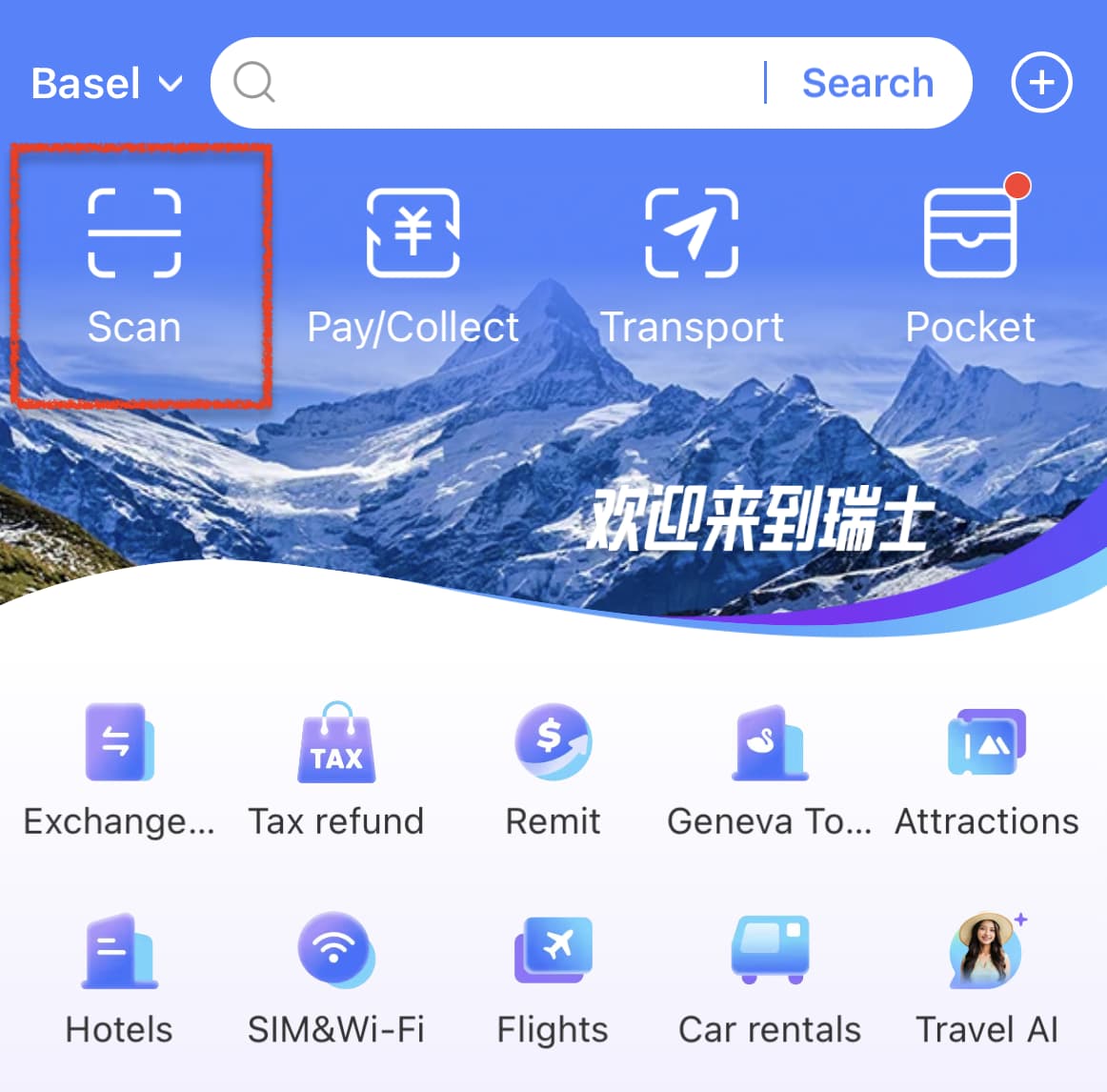
Tap Scan to pay a merchant QR code.
Option B — Show your payment code
Tap Pay/Collect, show your QR or bar code to the merchant, wait for them to scan it, and keep mobile data on until the payment is complete.
- Supermarkets
- Convenience stores
- Chain restaurants
- Transport counters
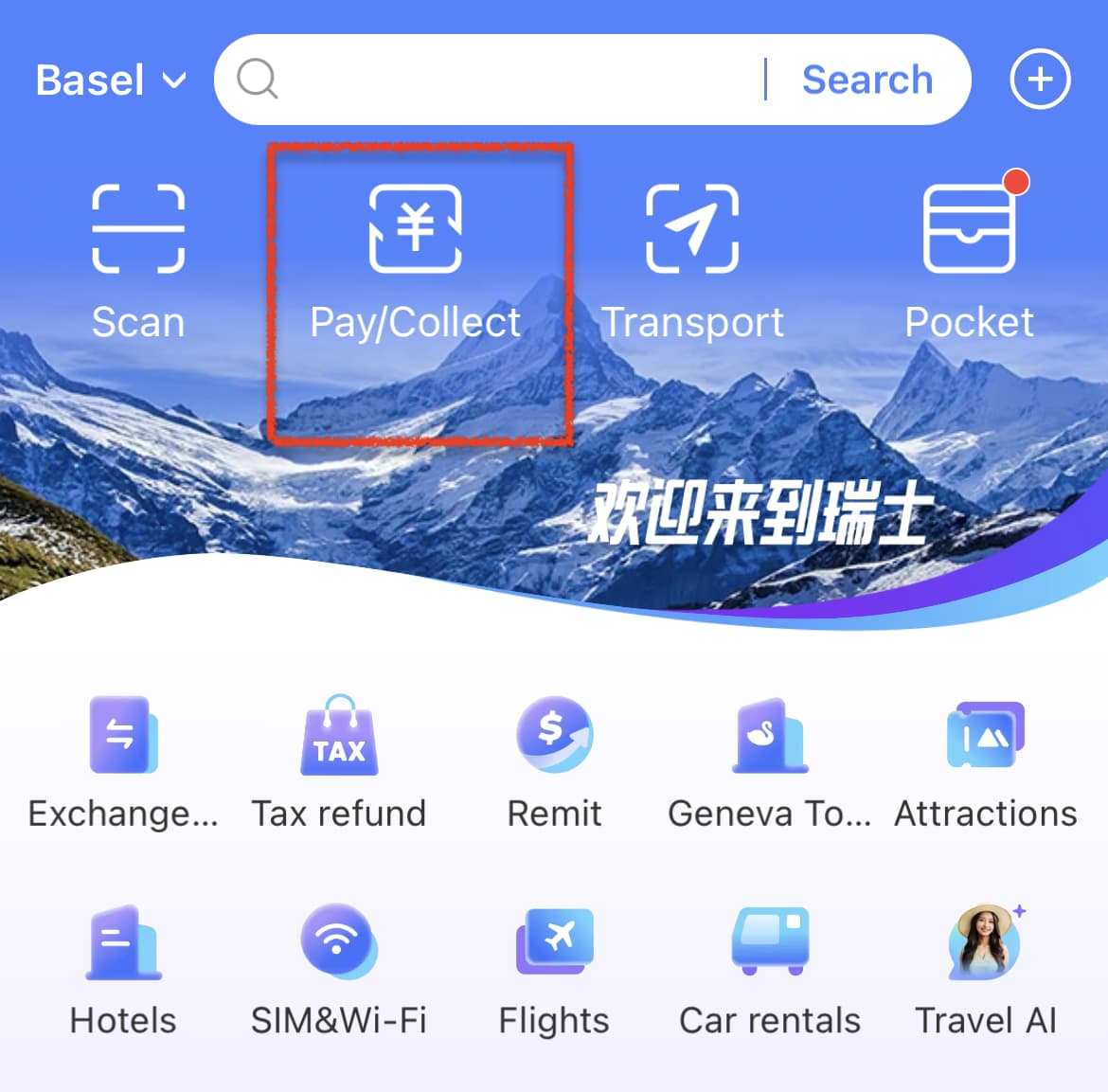
Tap Pay/Collect and let the merchant scan your code.
Download and Register
Download Alipay before your trip if possible, then register with a phone number that can receive SMS codes.
Search for Alipay in your app store.
Install the app.
Sign up with your international phone number.
Enter the SMS verification code.
Set the app language or country/region if Alipay asks.
- Your non-Chinese phone number usually works.
- You must be able to receive SMS verification codes.
- Using roaming or a travel eSIM is usually fine as long as SMS works for your number.
Search for Alipay in the App Store or Google Play.
Register with your phone number and complete SMS verification.
Add Your International Card
After registration, link an international credit or debit card so Alipay can charge your payments.
Tap Account in the bottom-right corner.
Tap Bank Cards.
Tap Add Bank Card.
Enter your card number and details.
Complete any extra verification from your card issuer.
Make sure your name matches your passport and card as closely as possible.
Open Bank Cards and tap Add Bank Card.
Verify Your Identity if Requested
Alipay may ask for passport-based identity verification before some payment features work smoothly.
Follow the in-app prompt if Alipay asks you to verify.
Upload a photo of your passport information page if requested.
Complete a face scan if requested.
Make sure your name matches your passport exactly.
Try again later or contact Alipay support if verification is still pending.
- Common issue: if your passport name, bank card name, and app profile name do not match, verification may fail.
Pay with Scan or Payment Code
In daily life, small shops often ask you to scan their QR code, while supermarkets and chain stores often scan your payment code. Always check the amount before confirming.
Option A — You scan the merchant QR
Tap Scan in Alipay, point your phone at the merchant QR code, enter the amount if needed, check the final amount, and confirm.
- Street vendors
- Small shops
- Temporary printed QR codes
- Markets and casual food stalls
Tap Scan to pay a merchant QR code.
Option B — Show your payment code
Tap Pay/Collect, show your QR or bar code to the merchant, wait for them to scan it, and keep mobile data on until the payment is complete.
- Supermarkets
- Convenience stores
- Chain restaurants
- Transport counters
Tap Pay/Collect and let the merchant scan your code.
Common payment backups
Cash
Useful as a backup, especially if your app, SMS, or mobile data has problems.
Physical bank card
More likely to work in hotels, airports, and larger stores than in small local shops.
Mobile data
Keep roaming or eSIM active when paying, scanning QR codes, or receiving verification messages.
Alipay Q&A
A few details that are useful after you understand the basic setup.
Can tourists use Alipay in China?
Yes. Many foreign tourists can use Alipay by registering with a phone number, linking an international card, and completing verification if requested.
Does Alipay work without a Chinese bank account?
Usually yes for tourist payments. A Chinese bank account is normally not required for basic QR code payments with an eligible international card.
Can I use a foreign credit card with Alipay?
Alipay can support many international Visa, Mastercard, and other eligible cards, but card acceptance and verification can depend on your issuer and account status.
Should I use Alipay or WeChat Pay first?
For most first-time visitors, Alipay is usually easier to prioritize. WeChat Pay is still useful as a backup and for WeChat mini programs.
What should I do if Alipay payment fails?
Check mobile data, card verification, transaction limits, and final amount. Try another card, use WeChat Pay, or keep cash and a physical card as backup.
Will every Alipay feature work for foreign visitors?
Not always. Core QR code payments are usually the priority, but some local services, discounts, mini programs, or advanced wallet features may be limited for non-Chinese users.
Are there fees when paying with an international card?
Small transactions are often fee-free, while larger payments may include a service fee. Always check the final amount and any fee shown before confirming payment.