
How to Take
High-speed Rail
in China
A foreign visitor guide to booking train tickets, choosing 12306 or Trip.com, using your passport, entering the station, and boarding smoothly.
Last verified: August 2026
Report outdated informationQuick answer
Quick answer
China Railway tickets have a 15-day presale period, including the travel date. Check the exact on-sale time for your departure station in 12306. The 12306 website and app are the official online railway ticketing channels; Trip.com is a third-party option with a more familiar English booking flow, but its fees and after-sales terms should be checked before payment. Save your train and station details, allow time for security and real-name checks, and bring the same passport used for booking.
Booking window
Tickets are sold within a 15-day presale period, counting the travel date. Release times can differ by departure station, so search your route when its booking window opens.
Trip.com or 12306?
Compare the two booking options before choosing one.
Swipe to compare →
| Compare | Trip.com | 12306 official app |
|---|---|---|
| Identity verification | Enter passport details while booking. | Upload passport details in advance and wait for verification. |
| Payment support | International cards, PayPal, and Apple Pay may be supported. | Available payment methods are shown at checkout and may vary by account and card. |
| Booking fee | Service fees vary by route, ticket, and booking conditions. | No booking service fee. |
| English support | Clearer English booking flow and customer support. | English support and functionality may be limited. |
| Seat selection | Available on selected trains and bookings. | Seat preferences may be available, but are not guaranteed. |
Choose how to book
Pick the booking method that matches your comfort level. For most first-time visitors, Trip.com is easier; 12306 is the official option.
Booking option 1Book with Trip.com
Trip.com is often easier for first-time visitors, especially if you prefer English support, clearer station selection, and international card payment.
Book with Trip.com
Trip.com is often easier for first-time visitors, especially if you prefer English support, clearer station selection, and international card payment.
Step 1: Download and sign in
Install Trip.com or use the website, then create an account before booking.
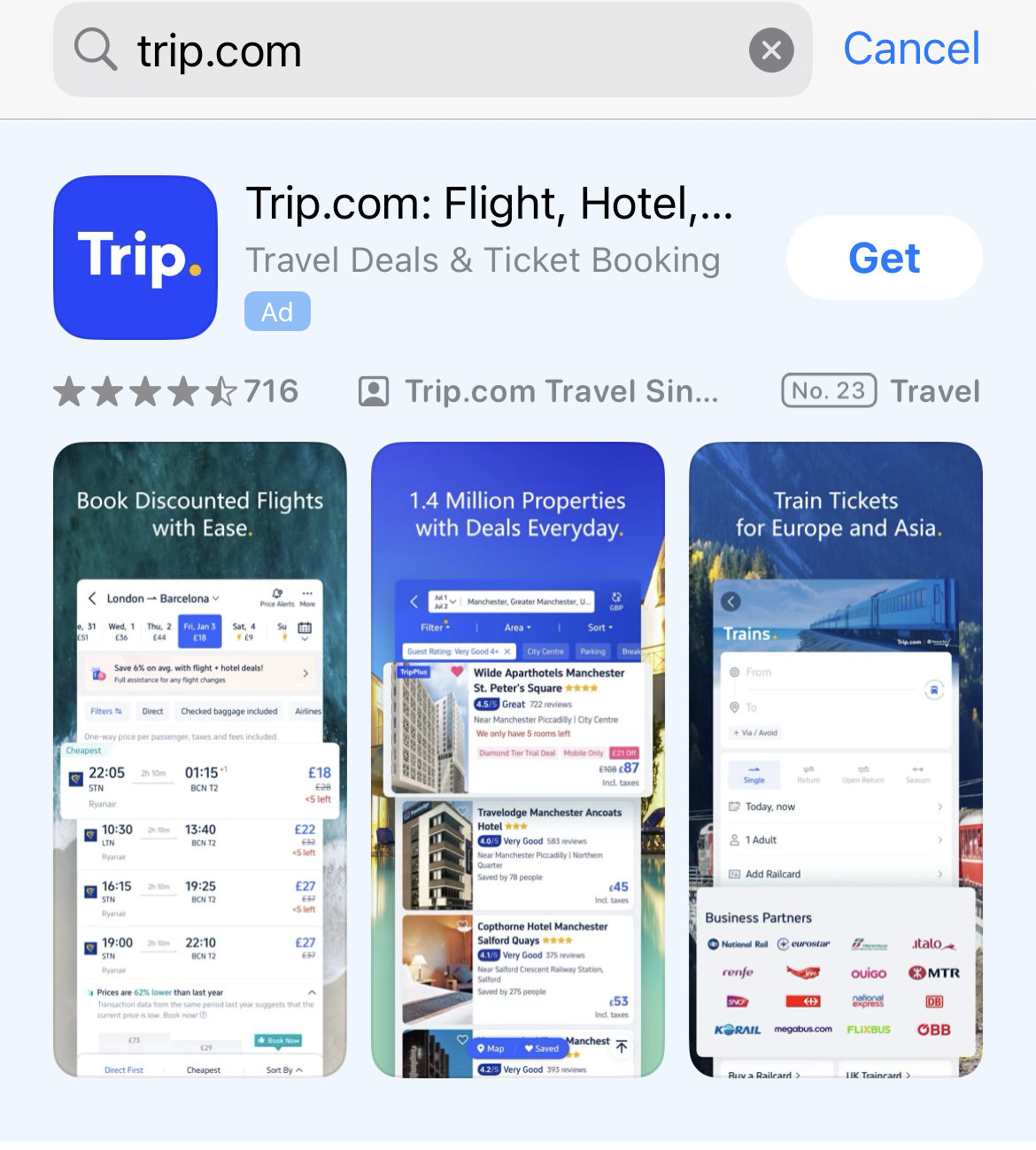
Download or visit website
Search Trip.com, then install the app or use the website.
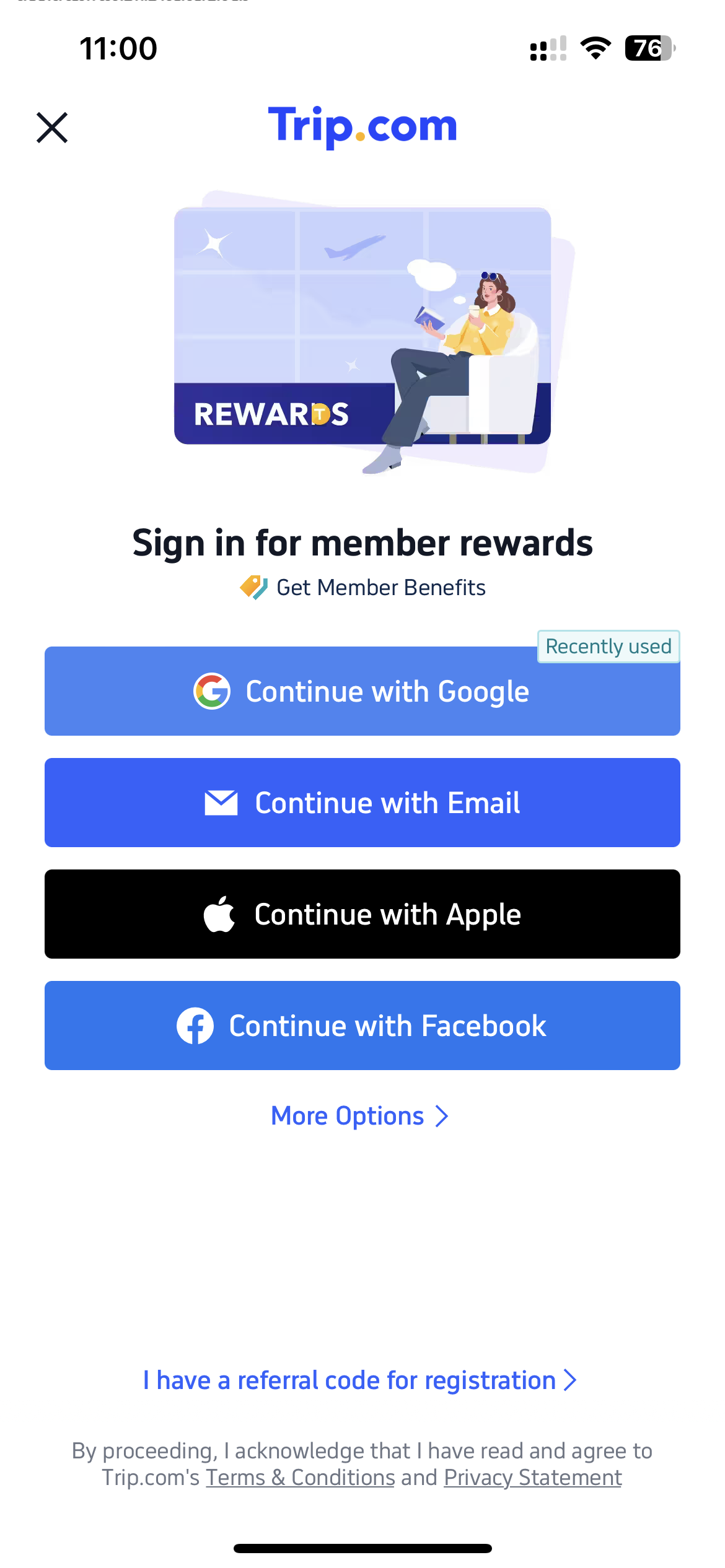
Sign in or register
Create an account before booking.
Step 2: Search and book
Search your route, choose the correct station and train, then enter passenger information and pay.
Search routes
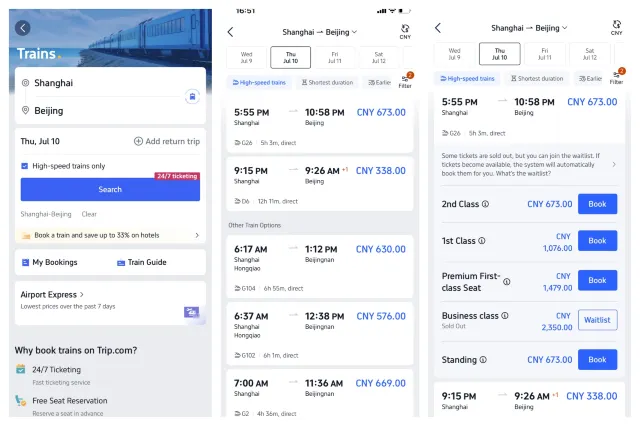
Select train and pay
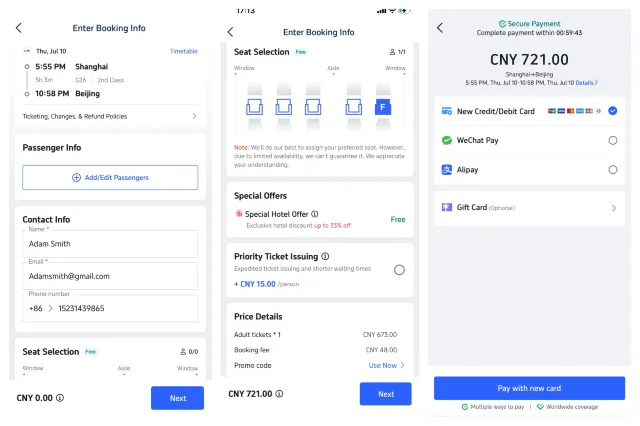
Step 3: Payment and confirmation
Trip.com is often easier for international card payment, but always check fees, change rules, and passport details before paying.
Booking option 2Book with 12306
12306 is the official China Railway platform. It is direct, but international users may need more setup time.
Book with 12306
12306 is the official China Railway platform. It is direct, but international users may need more setup time.
Step 1: Basic setup
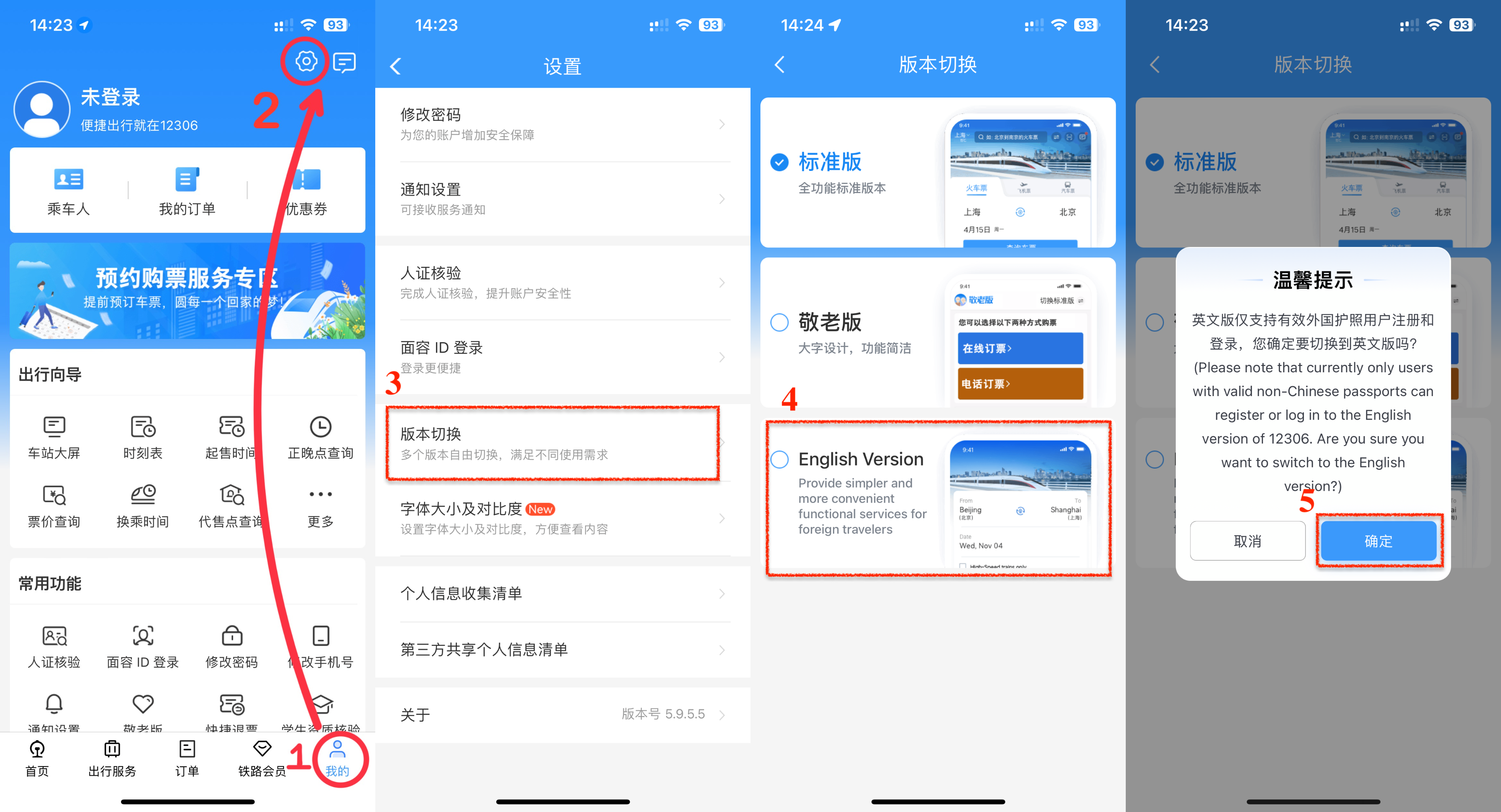
Install the app, switch to English, and register before tickets are released.
Download
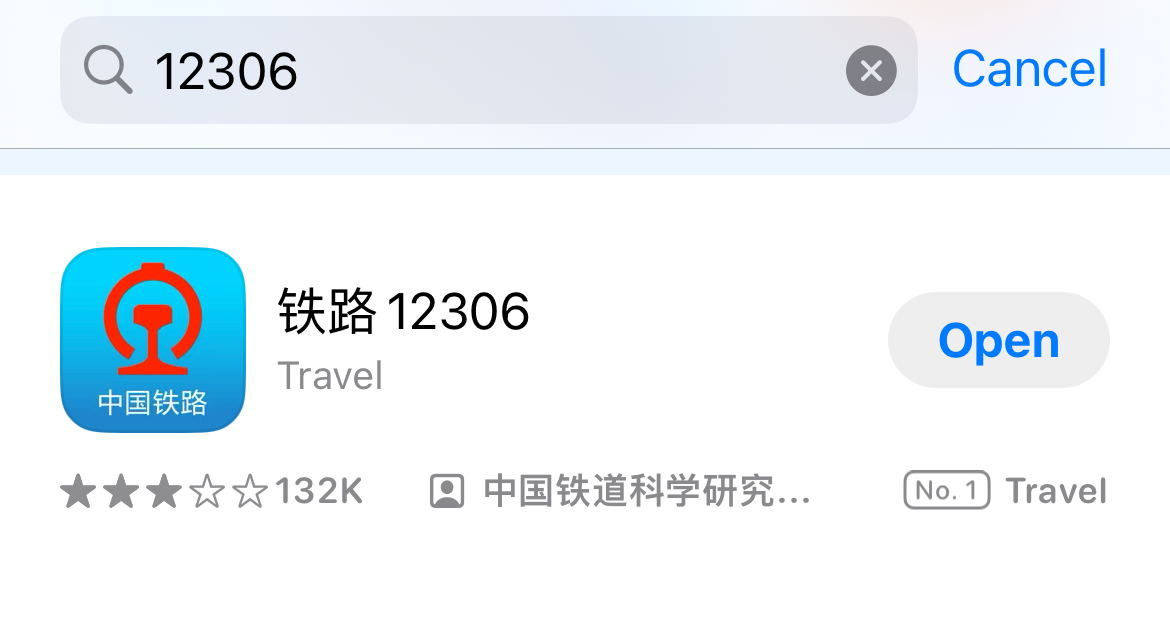
Search “12306”, then install it.
Switch to English
Go to My → Settings → Language and select English.
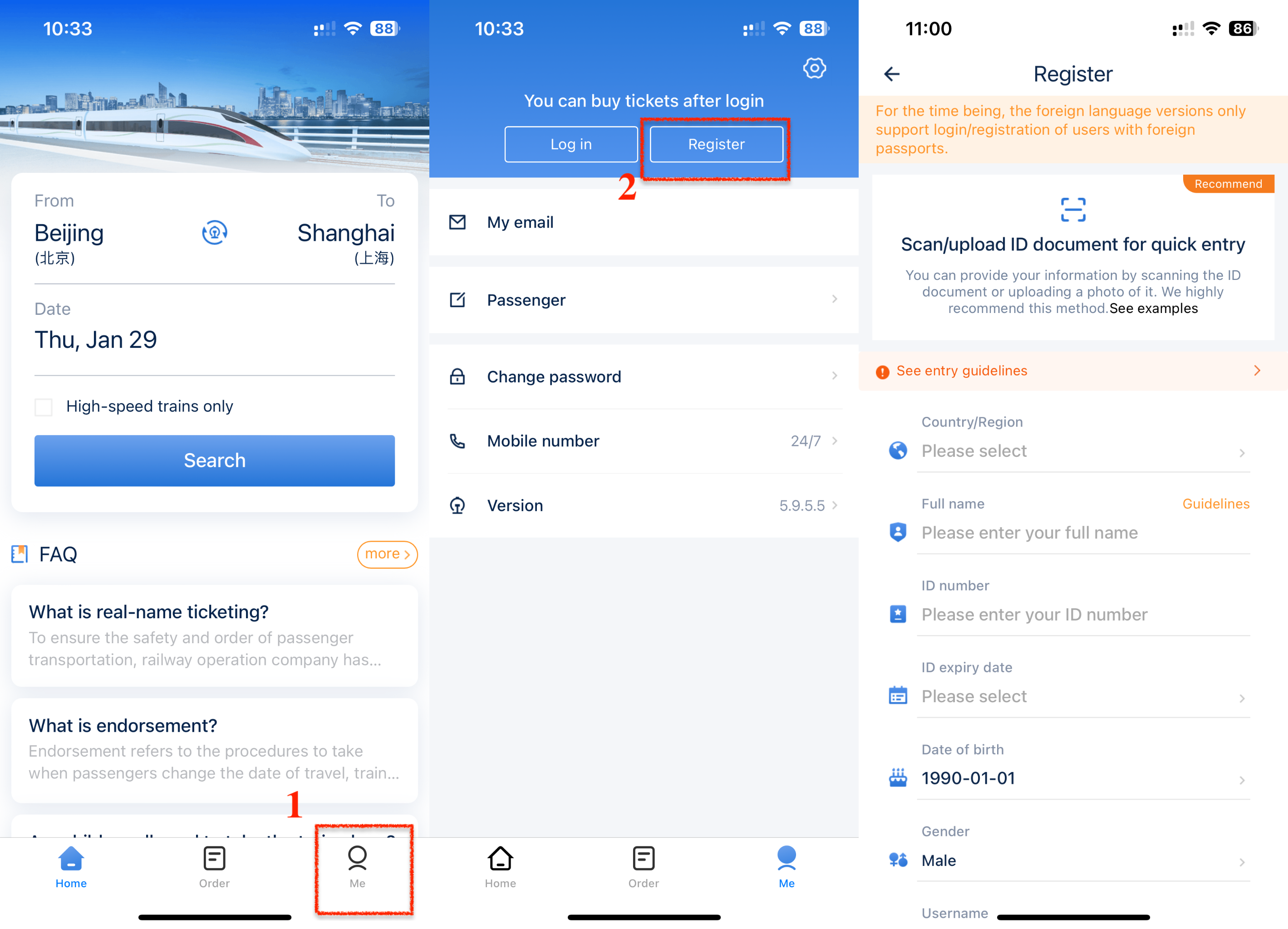
Register
Use your passport information and complete account registration before booking day.
Step 2: Identity and passengers
Complete passport verification before booking. Add other passengers in advance if you are traveling together.
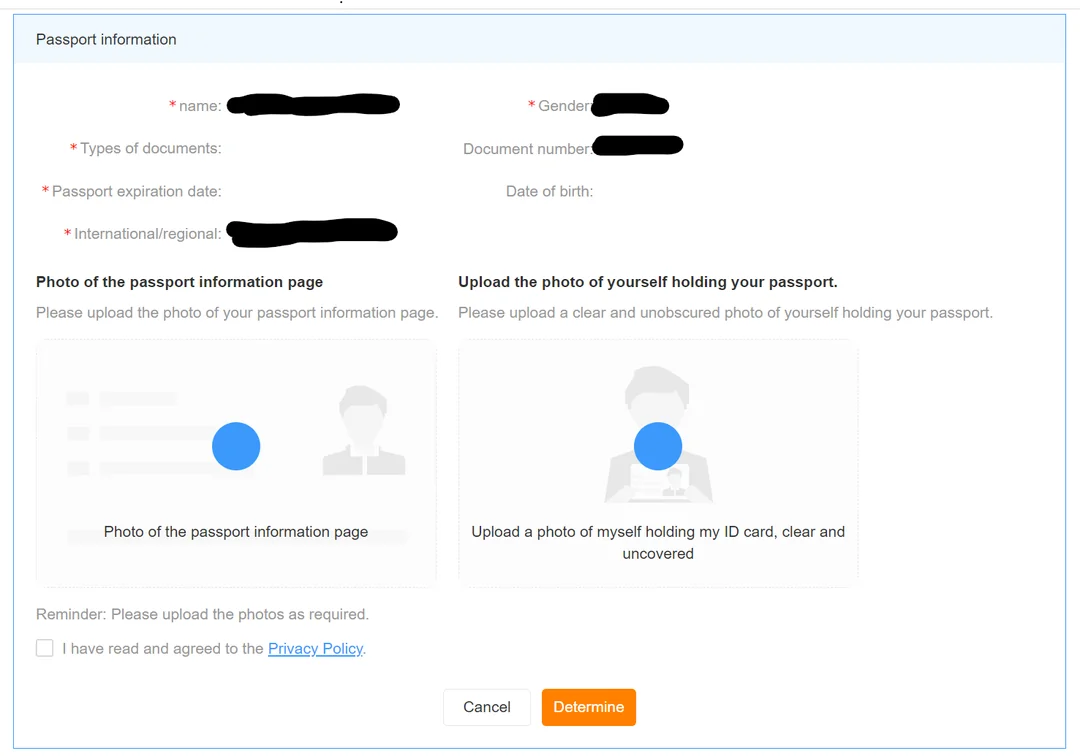
Real-name verification
Fill in your passport information and upload a clear photo of your passport information page.
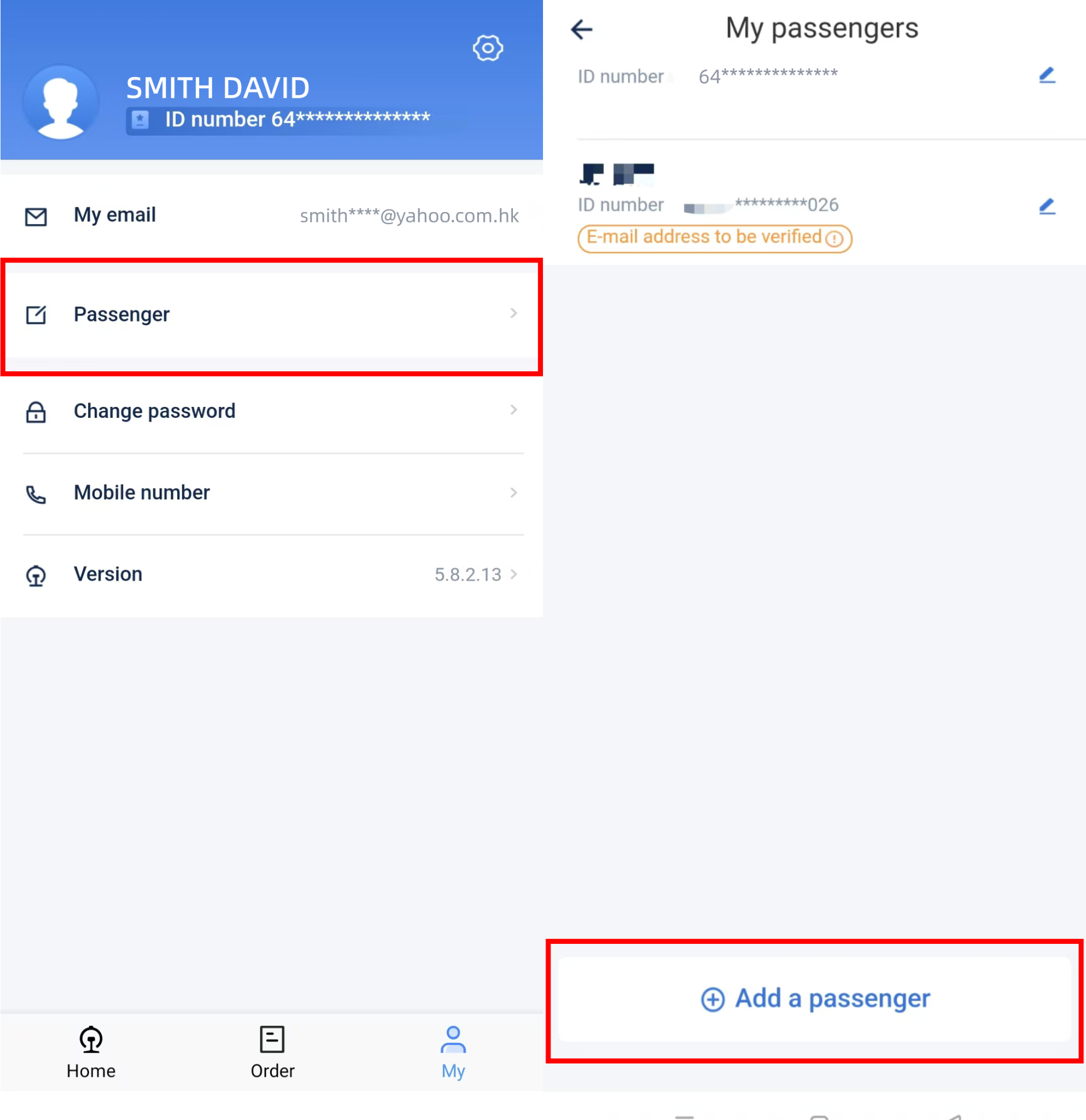
Add other passengers
Go to My → Passenger and add family or friends before booking.
Step 3: Buy tickets
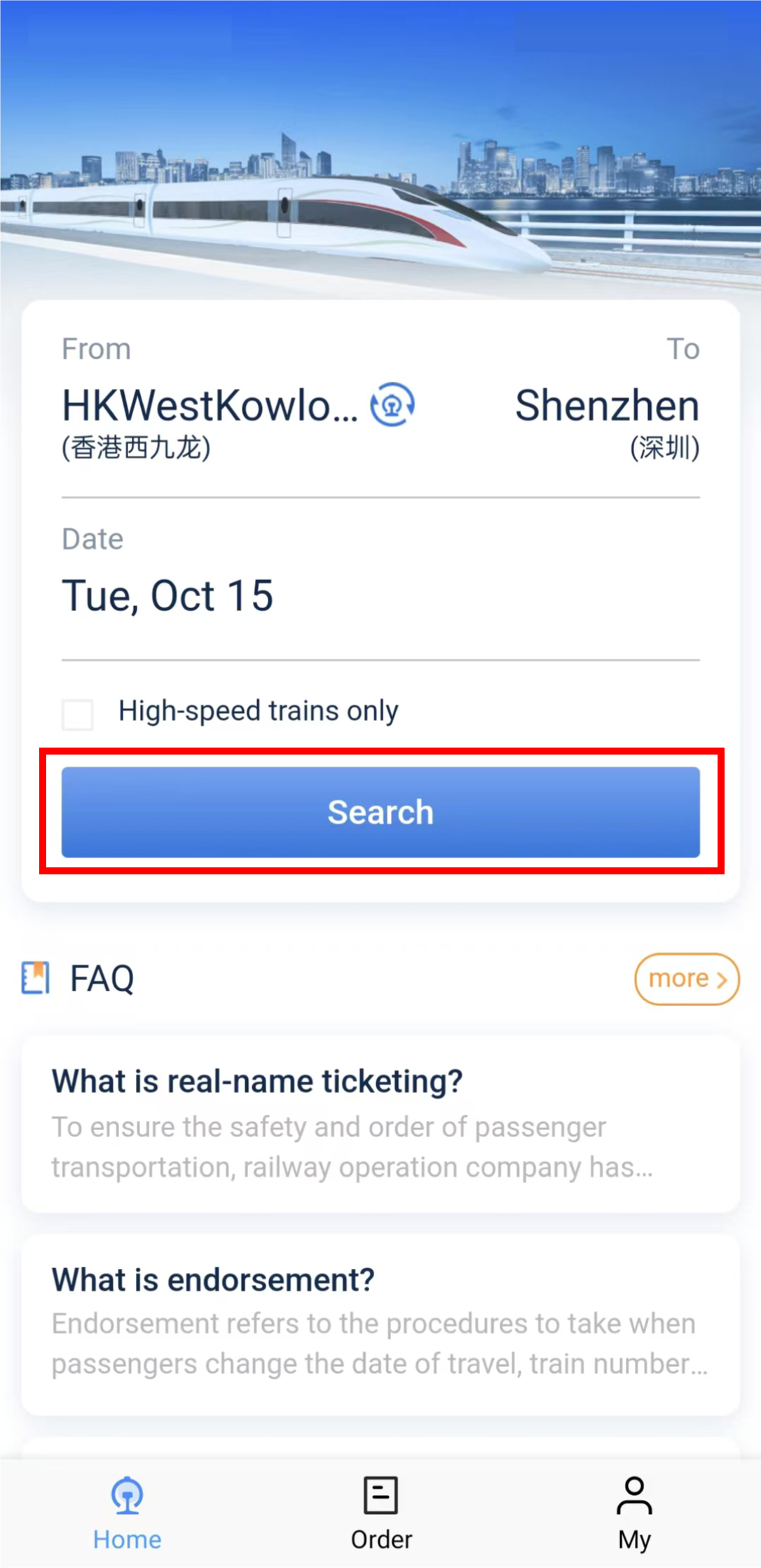
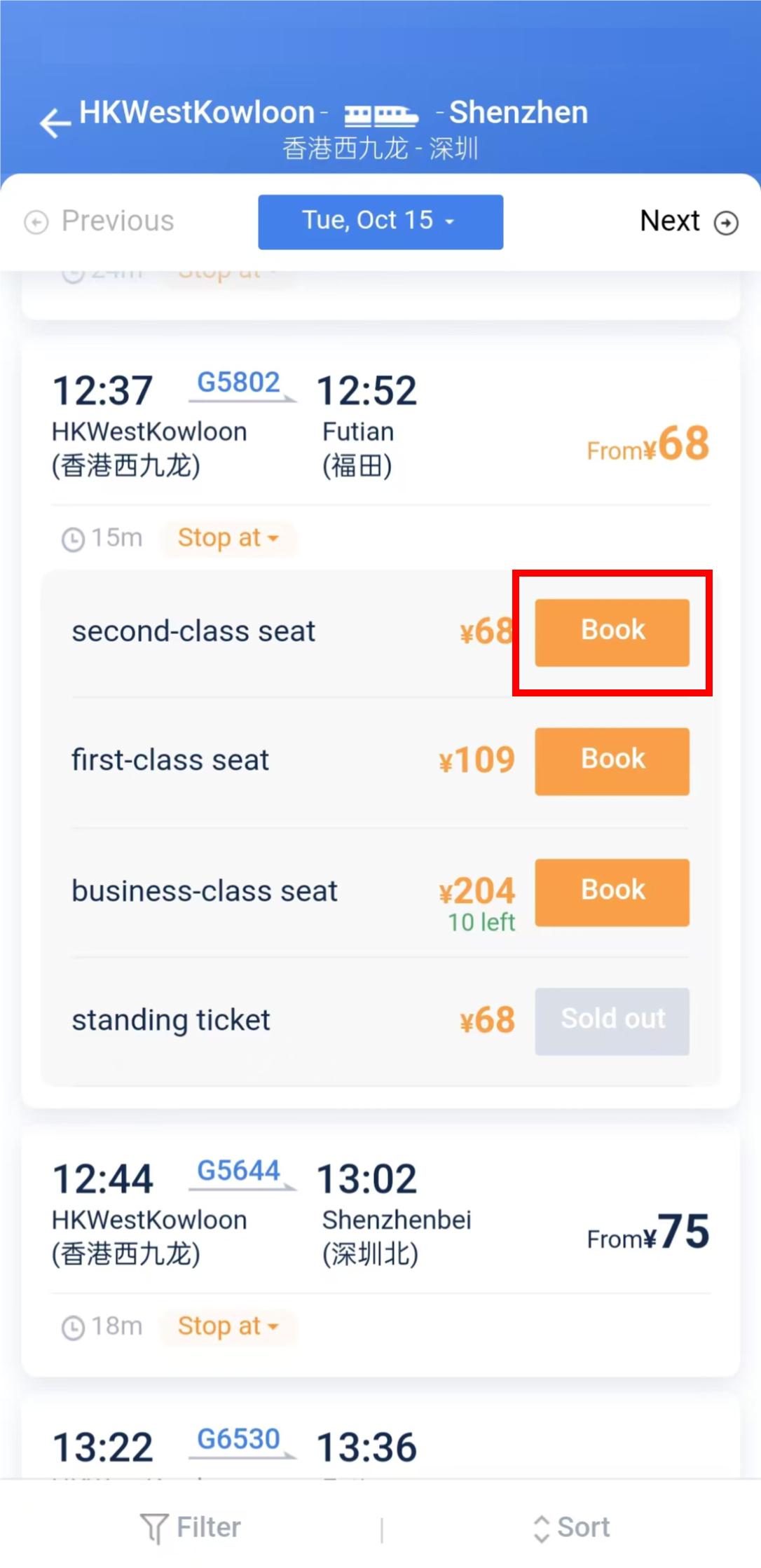
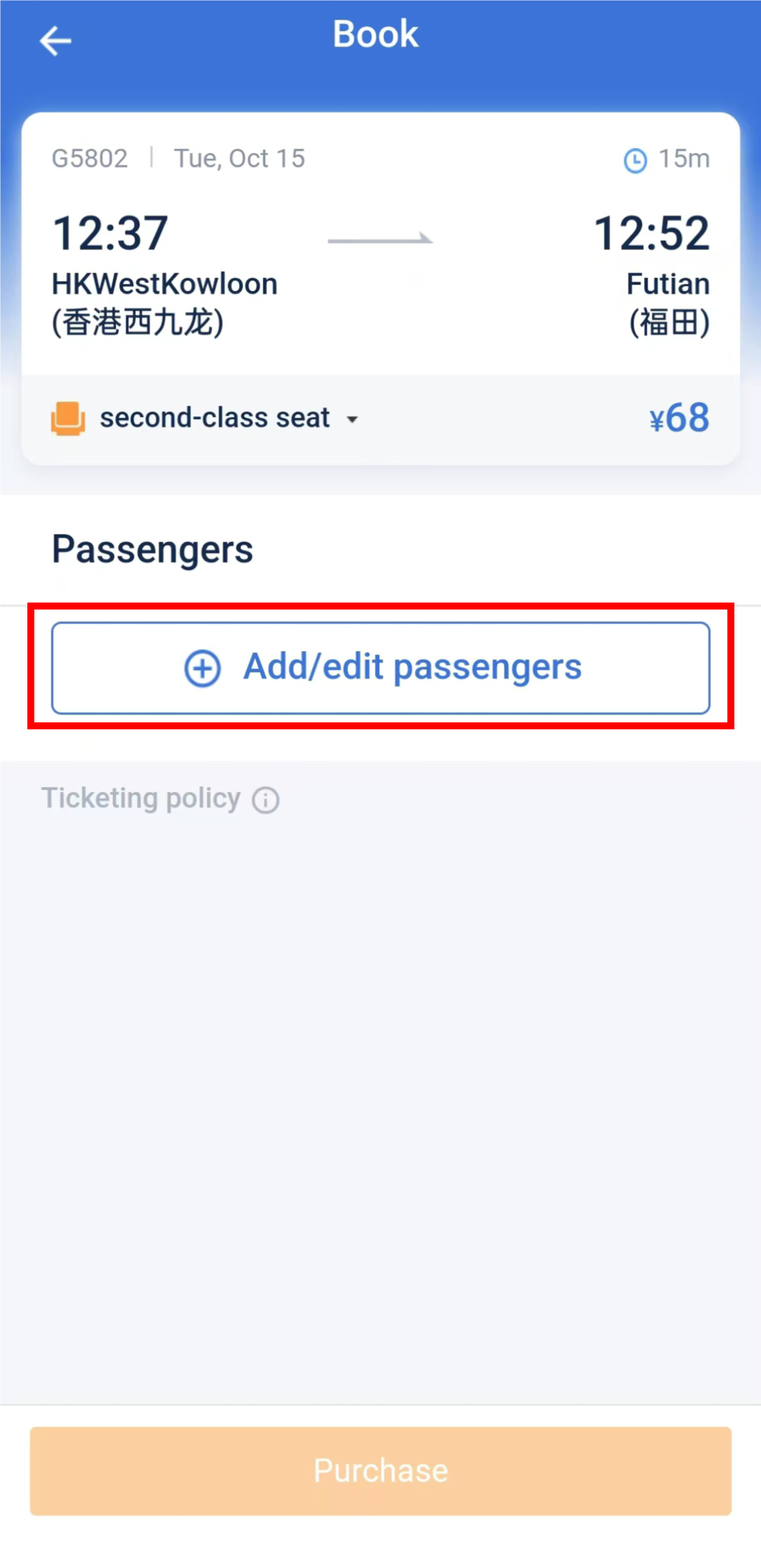
Choose the correct station, select train, passenger, seat class, and payment method. Save a screenshot of the train number, time, and station name in Chinese.
Search, choose, and save
Search route
Choose train
Select passengers
Save key trip info
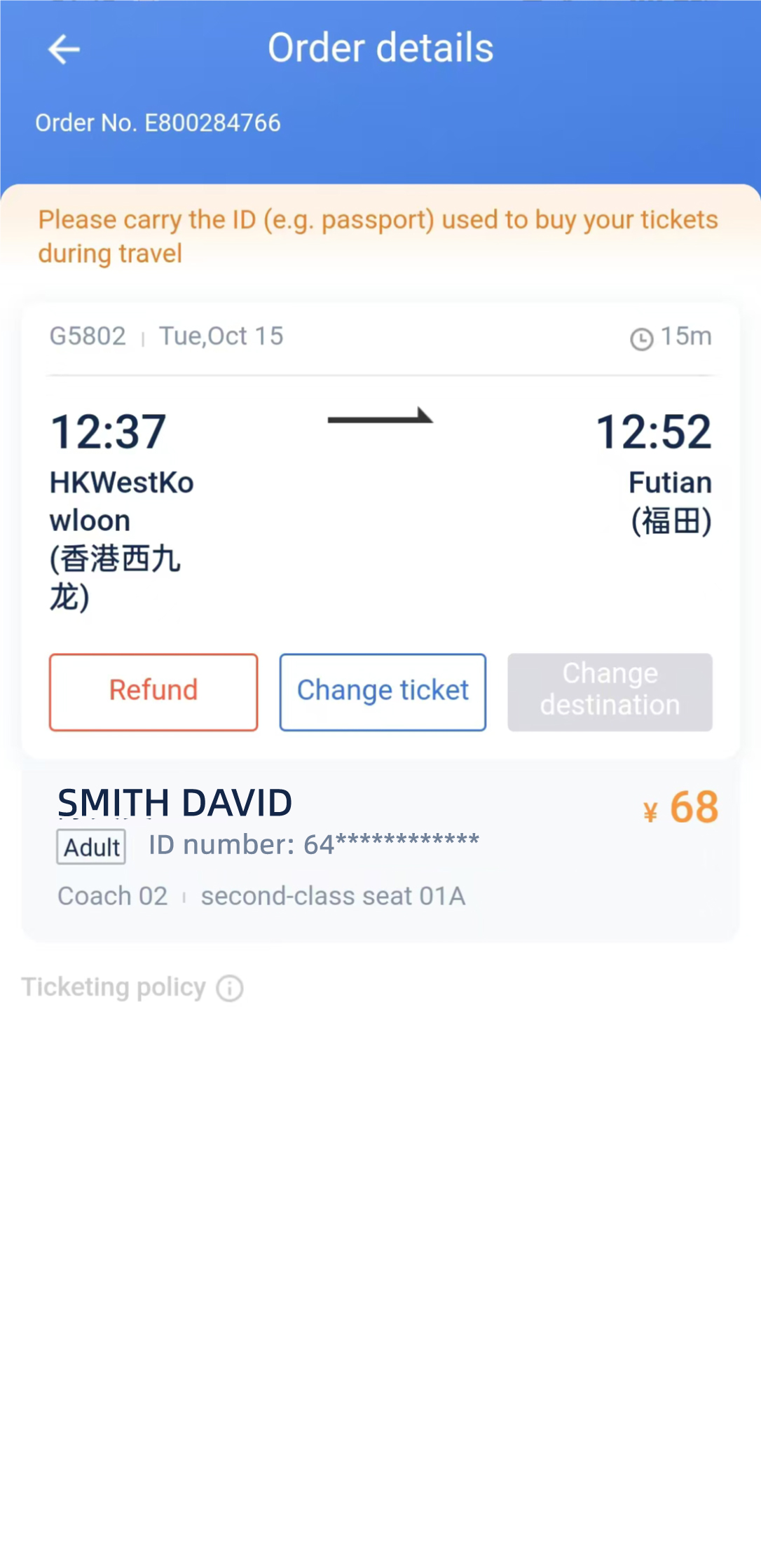
Official booking and passport rules
12306 is China Railway's official website. Foreign passengers can buy real-name tickets with a valid passport and should use the same ID document to enter the station and board.
After bookingChanges and refunds
Manage requests through the original booking platform, bring the passport used for booking, and expect higher refund fees closer to departure.
Changes and refunds
Manage requests through the original booking platform, bring the passport used for booking, and expect higher refund fees closer to departure.
Where to manage it
Use 12306 for 12306 bookings and Trip.com for Trip.com bookings. If online service is unavailable or departure is close, go to a staffed railway station ticket counter.
Bring your passport
At a station counter, bring the original passport used for booking. Third-party bookings may require platform support or additional service fees.
Refund timing
For tickets paid online, railway refunds return through the original payment channel. Processing time can still depend on the payment provider.
Railway refund fees
| Cancellation time | Railway fee |
|---|---|
| 8 days or more before departure | No railway refund fee |
| 48 hours to less than 8 days before departure | 5% of ticket price |
| 24 to 48 hours before departure | 10% of ticket price |
| Less than 24 hours before departure | 20% of ticket price |
Changing your train
48 hours or more before departure: change to an available train within the current presale period without a change fee; any fare difference still applies.
Less than 48 hours before departure: changing to an earlier train or another train on the original travel date is free; changing to a later date may incur a 5% or 15% fee, depending on timing.
After departure but before 24:00 on the travel date: a same-day change is free; changing to a later date within the presale period may incur a 40% fee, subject to seat availability.
A ticket can generally be changed once. A ticket changed after departure cannot be refunded.
Refund and change rules
The refund percentages, timing-based change fees, and one-change limit shown above follow the current 12306 passenger guidance.
Departure: arrive early
High-speed rail stations in China often work more like airports than small train stations. Use this flow to avoid rushing before boarding.
Enter the correct station
Large cities may have several railway stations. Check the exact station name carefully, such as Beijing South, Shanghai Hongqiao, or Xi’an North.
Pass security and passport checks
Expect airport-style bag screening. Keep your passport ready, because you need the same passport used for booking.
Find your gate and platform
Use your train number to find the correct waiting area, gate, and platform on 12306, Trip.com, or the station departure board.
Board before the gate closes
Do not wait until the last minute. The exact time when ticket checking stops follows the station announcement, and the platform may require extra walking time.
Station and gate timing
Stations may involve ticket sales, security, real-name checks, and gate queues. The exact time when ticket checking stops is set by the station, so follow the station announcement rather than relying on one universal cutoff.
First-time visitor tips
Small details that help you avoid common booking and station problems.
Know station direction words
East = Dong, South = Nan, West = Xi, North = Bei. These words often appear in station names.
Know train letters
G = high-speed rail, C = intercity high-speed, D = EMU or fast train, Z / T / K = slower conventional trains.
High-speed rail FAQ for foreigners
Common questions first-time visitors search before booking a train in China.
Can foreigners buy train tickets in China?
Yes. Foreigners can buy train tickets through 12306, Trip.com, or station ticket counters using the passport information that will be used for travel.
Do I need my passport to take a high-speed train?
Yes. Bring the same original passport used for booking. It is commonly checked for station entry, ticket verification, and manual assistance.
Is Trip.com easier than 12306 for foreign visitors?
Often yes. Trip.com usually has an easier English booking flow and international payment support, while 12306 is the official railway platform and may require more setup.
How early should I arrive at the station?
For a first trip, arrive 45-60 minutes early. Large stations can involve security, passport checks, long walks, and gate closing before departure.
Can I change or refund China train tickets?
Usually yes, but rules depend on timing, ticket status, and booking channel. Manage changes through the original platform or at a staffed station counter with your passport.